Noise colors
8 sounds- Brown
- Deep Brown
- White
- Pink
- Green
- Grey
- Blue
- Violet
Coming soon to the App Store
Fall asleep to the steady, comforting hum of a real box fan. Box Fan Noise puts it on your iPhone, with 15 more classic fans and 30 sleep sounds to mix over it.
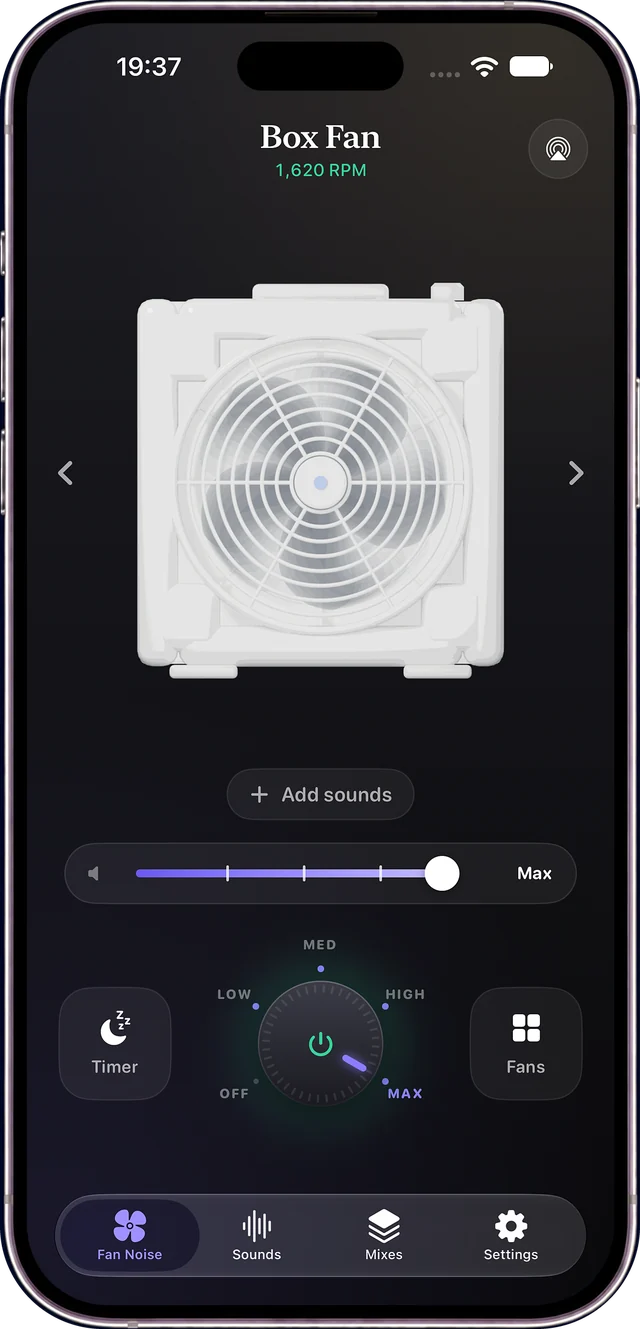
Turn it up, it spins faster
Control your fan with a dial: Off, Low, Medium, High, Max. Each step clicks into place, or use the fan level slider for fine control. As you turn it up, the fan gets louder, its pitch rises and the blades spin faster on screen, exactly like a real motor.
Give it a try: pick a speed, then tap Play sound to hear it.
Box Fan
A preview made in your browser. The app plays its own fan recordings. Keep the volume comfortable.
16 classic fans
Swipe between fans and watch each one spin, from the box fan you grew up with to a vintage desk fan or a quiet ceiling fan.
Tap a fan to hear a preview. Tap it again to stop.
30 sleep sounds
Give every sound its own volume and build the mix that helps you sleep.
Mixes & sleep timer
Start with a featured mix, or save your own fan-and-sound combinations and play them with one tap.
Choose how long it plays. The sound fades out softly at the end, or plays all night if you prefer.
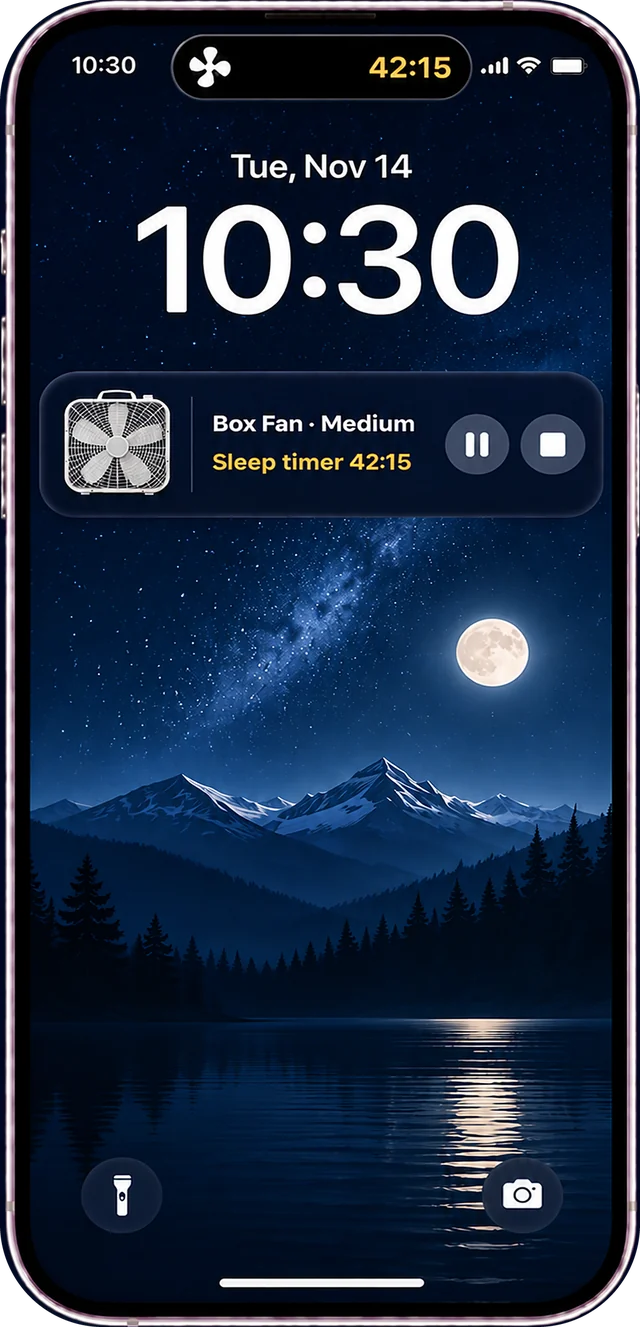
Lock Screen, Siri & more
Pause the fan, stop it or check the timer from your pillow, without unlocking your iPhone.
A Live Activity with play/pause, stop and the sleep timer countdown.
Home Screen and Lock Screen widgets.
“Start Box Fan Noise” or “Set a sleep timer in Box Fan Noise”.
On iOS 18 and later.
With your screen locked, and on AirPlay and Bluetooth speakers.
Screenshots
Yes. Box Fan Noise is free to download, with no ads, no account and no sign-up.
Yes. All the fans and sounds are built into the app, so it works fully offline, in airplane mode and while traveling.
Yes. Layer any of the 30 sleep sounds over your fan, from brown and white noise to rain, ocean waves and a night train. Every sound has its own volume, and you can save your favorite combinations as mixes.
Yes. Box Fan Noise keeps playing with your screen locked. Set a sleep timer of 15 minutes up to 8 hours, or your own time, and the sound fades out softly at the end. You can also let it play all night.
Yes. Use the Live Activity on the Lock Screen and in the Dynamic Island, Home Screen and Lock Screen widgets, or ask Siri to “Start Box Fan Noise”. On iOS 18 and later you can also use Control Center and the Action button.
No. The app has no analytics, advertising or tracking software, and its App Store privacy label is “Data Not Collected”. Your settings and saved mixes stay on your iPhone.
Many parents use the steady sound of a fan for naps and bedtime. Keep the volume low and the device well away from the crib, and follow your pediatrician’s guidance. Box Fan Noise is a sleep and relaxation sound app, not a medical device.
Box Fan Noise will be free on iPhone, with no ads and no account. Have a question before launch? We’d love to hear from you.
The fans shown in Box Fan Noise are original designs and are not affiliated with or endorsed by any fan manufacturer or brand. Box Fan Noise is not affiliated with Apple Inc.