AirPods & headphones
A cleaning program made for small earbud speakers. Keep them out of your ears while it plays.
Coming soon to the App Store
Sound muffled after rain, a swim or a spill? Phone Water Remover plays low-frequency tones that vibrate your speakers to help move water out of the speaker openings.
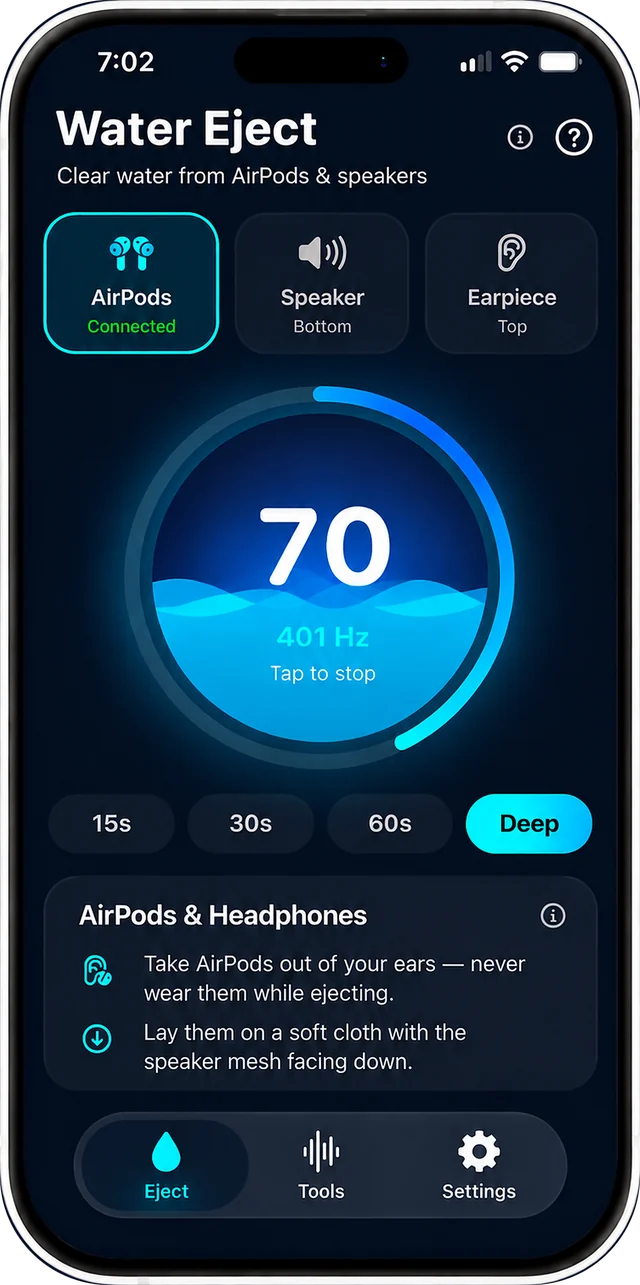
Three devices, three programs
Each output gets its own cleaning program instead of a single fixed tone.
A cleaning program made for small earbud speakers. Keep them out of your ears while it plays.
Cleans the bottom speaker, even while your AirPods stay connected.
Cleans the top speaker you hear calls through.
Features
Run a 15, 30 or 60 second cleaning, or a 2-minute Deep Clean. A live progress ring shows the countdown and the current frequency, and cleaning keeps going when the screen locks, with a Stop control on the Lock Screen.
Say “Eject water with Water Remover” to Siri, assign it to the Action Button on iPhone 15 Pro and later, or add it to the Shortcuts app with the device and length you want.
Speaker Test plays a short melody and a bass tone on your AirPods, speaker or earpiece. Still muffled? Run another cleaning with one tap.
Play any frequency from 20 Hz to 2,000 Hz, pick a preset such as 165 Hz, or switch on Pulse mode for a throbbing tone.
If headphones connect while a tone is playing through your iPhone, the tone stops automatically to protect your hearing.
No ads, no in-app purchases and no account. The app does not record audio and does not collect any data. Cleaning history stays on your iPhone.
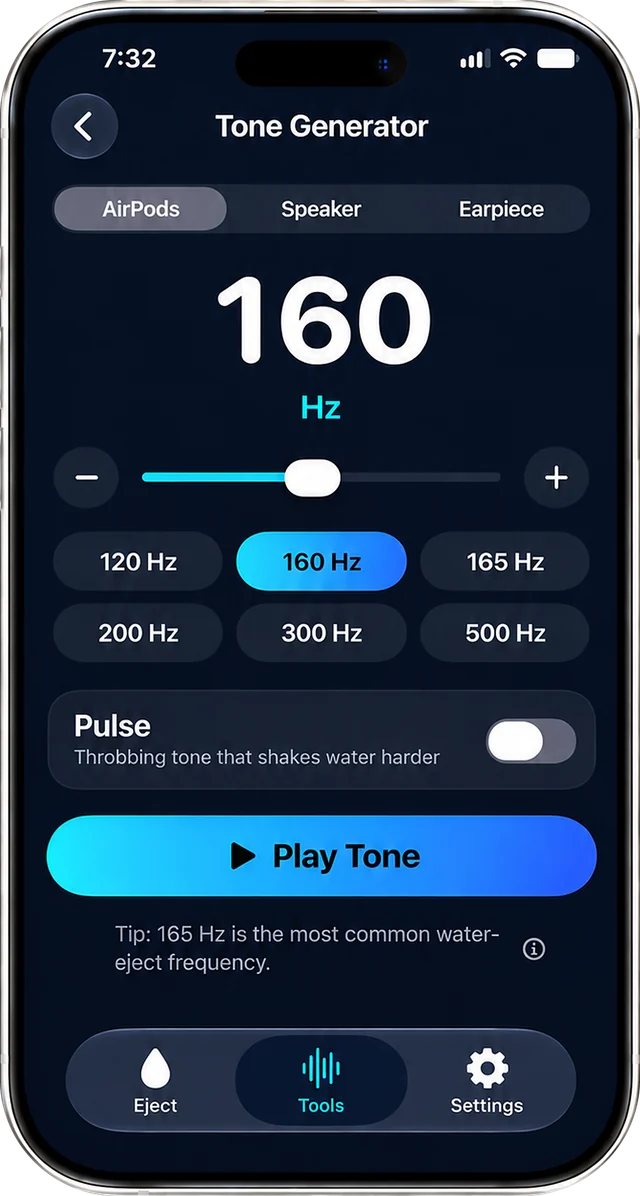
Tone Generator
Want more control? Pick AirPods, Speaker or Earpiece and dial in the exact tone.
How it works
The tones work best at full volume, so the speaker can move as much as possible.
Each output gets its own cleaning program instead of a single fixed tone.
Hold your iPhone with the speaker facing down so the water can drain out.
Screenshots
Yes. Phone Water Remover is free, with no ads, no in-app purchases and no account needed.
The app plays low-frequency tones through your speaker. The vibrations may help move water out of the speaker openings. Results vary with your device and how much water got in.
Yes. Choose AirPods to use a program made for small earbud speakers. Take your AirPods out of your ears first and lay them on a soft cloth with the speaker mesh facing down. Turning off Automatic Ear Detection in Settings › Bluetooth keeps the sound on your AirPods while they are out.
Earpiece cleaning uses a call-style audio mode, so iOS may show a microphone permission prompt. You can decline it and cleaning still works. The app never records, saves or sends audio.
No. There are no accounts, analytics, advertising or tracking, and no third-party SDKs. A few settings, such as your last selected device and cleaning mode, are saved only on your iPhone.
Phone Water Remover requires iOS 17.0 or later. Starting it from the Action Button works on iPhone 15 Pro and later.
Run another cleaning or try the 2-minute Deep Clean, then check with Speaker Test. The app cannot repair water or hardware damage. If the sound stays distorted, contact the device manufacturer.
Phone Water Remover will be free on iPhone, with no ads, no in-app purchases and no account. Have a question before launch? We’d love to hear from you.
Phone Water Remover is an independent app and is not affiliated with, sponsored or endorsed by Apple Inc.